Formamorph
by Jake James
3.8 (17 votes)
Others
Completed
v3.1.0
Game Details
- Version
- v3.1.0
- Developer
- Jake James
- Engine
- Others
- Status
- Completed
- Language
- English
- Censored
- No
- Updated
- 28 September 2026
About
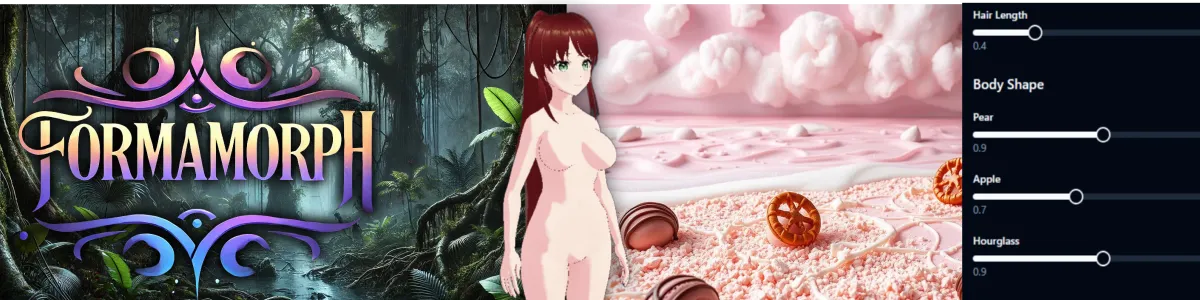
An AI-driven text RPG engine built around one idea: your character's body is never fixed. Start by shaping her hairstyle, eye color, and base build, hourglass, pear, apple, then let the story push that shape somewhere else entirely.
Everything runs through the transformation. Bellies and breasts grow or shrink, weight redistributes, pregnancy takes hold, and the 3D model updates to match whatever the current scene is doing to her. Since the AI generates the narrative on the fly, there's no fixed script to hit those beats on cue, so what happens to your body is genuinely up for grabs each run rather than a set sequence of predetermined scenes.
Changelog
v3.1.0
- Added
- Tools
- Settings has a Tools tab in Advanced that lists your Tools, which ones each prompt preset turns on, and which prompts offer each one
- A prompt preset you export or publish carries copies of your Tools it turns on, so the preset works for whoever imports it
- You can make and edit your own Tools in Settings → Tools, and try any Tool before you save it
- During play, the AI can call the Tools your prompts offer and write with what they return
- A built-in roll Tool lets the AI roll fair dice
- Settings → Output has a Tools switch that turns every prompt's Tools on or off
- Every preset lists the built-in Tools get_location and get_dictionary_entry, turned off
- Every preset lists recall, a built-in Tool that searches the story's memories, turned off
- A Script Tool can read each placeholder's value in this playthrough
- Built-in Placeholders
- {{char}} in an entity's own text shows that entity's current name in play
- The placeholder palette and the { menu list Player Name and Character Name first, under a Built-in heading
- A SillyTavern card you import keeps {{char}} as a Character Name chip in the entity's AI-Facing Description and openings
- In an entity's fields, the Preview tab shows a Character Name chip as the entity's current name
- Trait Requirements
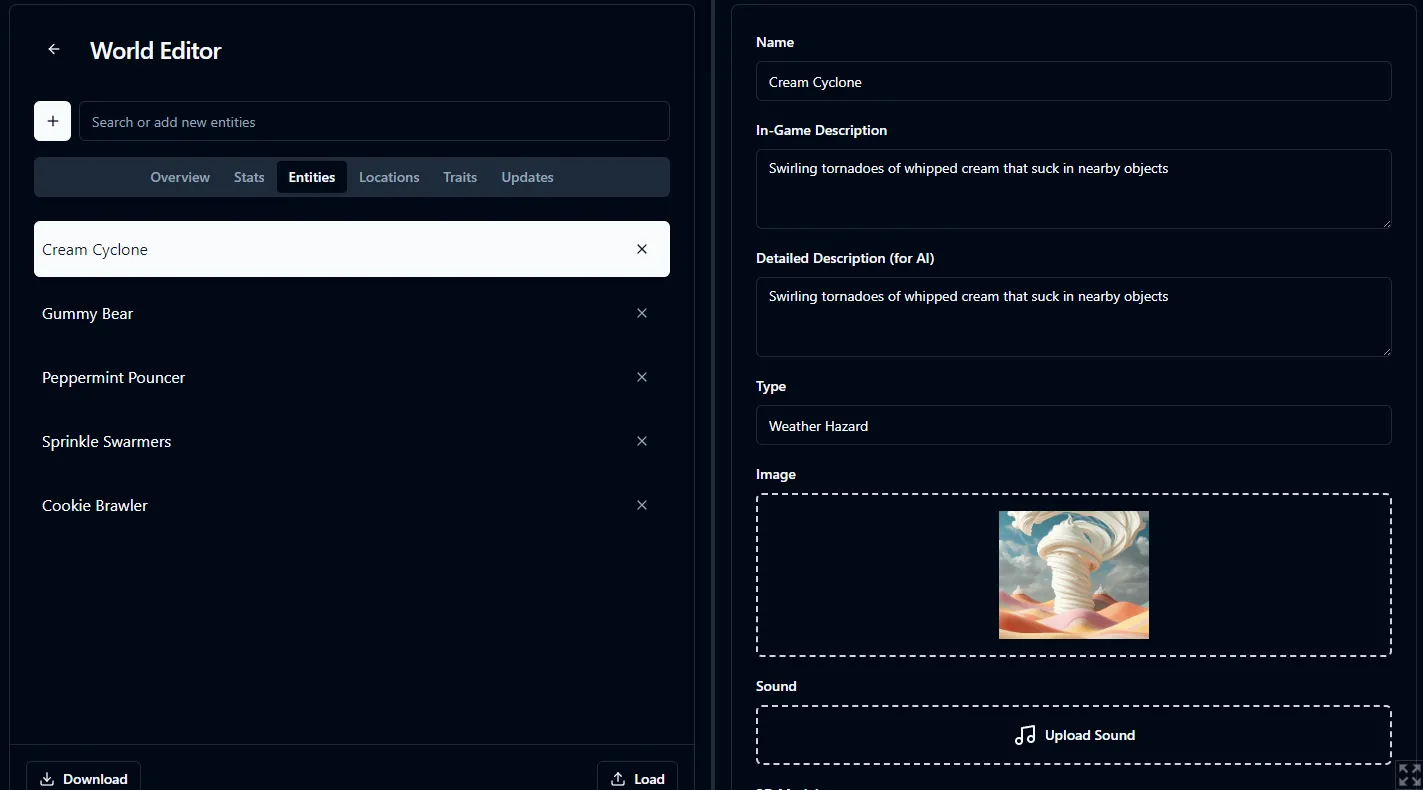
- A trait in the World Editor has an Availability tab that holds its checkboxes and a new Requires field
- The Enter World trait step locks a trait until one of its requirements is picked
- The in-game Traits tab locks a trait until one of its requirements holds
- Entity Traits
- An entity can own traits in the World Editor
- In the World Editor's Advanced mode, an entity's Persona setting can be Persona-Only, so it exists only while you play as it
- In Advanced, an entity's Persona control in the World Editor has a Custom Persona role, which gives the entity's traits and links to a player with no world persona
- In Advanced, dragging a world trait or group onto an entity in the Traits tab links it, so one trait serves many entities at Enter World and in play
- The entity panel's Traits tab is the Traits tab for that entity alone, so you edit an entity's traits without leaving it
- In Advanced, the Traits tab's + menu adds a trait or group straight onto an entity
- In the Traits tab with Advanced off, dragging a world trait or group onto an entity moves it into that entity as its own
- In Advanced, the Traits tab's + menu adds a Blueprints group for traits you only link
- In Advanced, the Placeholders tab's + menu adds a Blueprints group, and an entity's copy of a blueprint opens as a value list you change for that entity alone
- On the Placeholders tab, an entity gets its own copy of each blueprint placeholder its traits pin or place, and an untouched copy goes away when nothing needs it
- A blueprint chip in a world trait's text reads the copy of whoever has the trait, and shows a link icon
- A trait pin on a world placeholder reads each bearer's copy of it in play
- A trait requirement means the same bearer, or it can name a bearer
- Enter World lets you pick the traits of every entity that owns some
- The in-game Traits tab shows each entity that owns traits, and you can switch its traits during play
- At Enter World and in the in-game Change Persona dialog, the Custom Persona entity stands in None's place, and you can give it your own name and description
- The AI reads each entity's active traits, linked ones included, and the traits of the entity you play as your own
- An entity's active traits pin placeholders in that entity's own text, on top of your traits' pins
- A library entity's traits come with it into any world
- The library entity editor's Traits tab has the World Editor's search box and + menu
- The Test Bench reports traits that can never unlock, requirements that point at nothing, and defaults that start unselected
- The Test Bench checks each entity's linked traits and blueprint copies: traits that never unlock, links that add nothing, pins on removed values, missing or unused copies, and blueprint chips or pins in fields that refuse them
- Openings
- An opening card collapses to one line, and a list of three or more openings opens collapsed
- A placeholder with three or more values opens with its value cards collapsed in the Multiline editor
- In the World Editor and the library, you can mark an opening on a persona Self, and it starts the game when a player plays that persona
- In the World Editor's Advanced mode, a location can have openings that draw when a game starts there
- On the World Editor's Openings panel, a Starting Location filter shows every opening, or only the ones that can come up at one start
- The Test Bench's Opening tab has a Persona picker, so you can see which openings a new game draws when the player plays a persona
- Morph Art
- Your library shows Morph art for an entity or Avatar with no picture
- A character card exported from an entity with no picture shows Morph art
- Community Creations shows Morph art for an entity or Avatar published without a picture
- A trait group in the World Editor sets how many of its traits the player can pick: Any, Exactly One, Up to One or Custom
- A trait in the World Editor can be Always On: it's active whenever its requirements hold, and the player can never switch it
- A trait in the World Editor can be Hidden: it works like Always On, but the player never sees it
- A trait link can set its own Mode, so one entity has a linked trait Always On or Hidden while another picks it
- The Test Bench catches trait group pick counts that a player can't meet
- Emberwatch joins the bundled worlds: a high-fantasy frontier keep that is also a working example of an RPG race-and-class system, with class abilities, two ready-made heroes and a build-your-own persona
- A world persona can name its own starting location, and Enter World selects it when you pick that persona
- The World Editor's Persona Choice control is now two controls on the Overview tab: Allowed Personas and Starts On
- The Markdown Guidance chip has a Definitions variant, and the Experimental preset uses it
- The World Editor's Overview tab labels its two descriptions Player-Facing Description and AI-Facing Description, each with an ⓘ tip
- On mobile, a detail panel's back button is an arrow in the panel's own header, so the panel no longer gives a whole row to it
- The World Editor offers an Authoring Tour
- A world that placed in a contest wears its place as a metal chip
- Community Creations shows entities and Avatars as wide cards with a tall image beside the text, and the library's detailed view shows entities and Avatars the same way
- Your persona always heads the in-game Entities tab, marked (You)
- AI Context shows each request's raw reasoning in its own section
- The Test Bench's Triggers tab says when an entry missed only because of Case-Sensitive
- Community Creations refuses the default Avatar
- Publish World refuses a bundled world you haven't edited
- Each direction of a Connection has its own Travel Hint in the World Editor, and the AI reads the one for the way the player travels
- The World Editor's Traits search finds each entity's own traits and Links, not only the world's traits
- The World Editor's Placeholders search lists every matching placeholder: the world's, each entity's and each book's
- The World Editor's Dictionary tab and the library dictionary editor search their entries
- In the World Editor, an entity's or book's Placeholders tab works like an entity's Traits tab
- In the library entity and dictionary editors, the Placeholders tab gets a search box, and a copy of a blueprint opens its copy editor
- In the library entity and dictionary editors, the placeholder palette sits at the top of the right pane on the Traits, Placeholders and Dictionary tabs
- Each World Editor tab keeps its own selection
- Every Openings tab in the World Editor and the library has a search box that filters the openings, and a + button that adds one
- An Avatar card's menu lets you pick its thumbnail: the image from the file, or a generated portrait
- An Avatar's details start collapsed, and its Export and Publish buttons share one row
- Removed
- A new world no longer starts with the World and Player trait groups
- Semantic Memory, Scene Recall, Semantic Lore and Diary Recall no longer carry the Experimental flask
- Fixed
- Openings
- The Player Action | Narration switch on an opening card keeps its selected pill inside the switch
- Openings is the last tab in the World Editor's entity panel
- The add button under an entity's openings in the World Editor names the entity
- Error Details
- An image generation error toast has a View Details link to the full error, with your Formamorph version, platform and system
- The "Failed to process AI request" toast has a View Details link to your AI server's reason
- The error toast for a failed delete, quarantine or release in Community Creations has a View Details link to the failed request
- Error toasts in main menu windows such as Feedback, Messages, Backup and the Admin Panel have a View Details link to the full error
- Error toasts in Settings, the library editors and Community Creations listings have a View Details link to the full error
- Error toasts in play, the World Editor, the main menu library and downloads have a View Details link to the full error
- Error Details has a Report Bug button that opens a bug report with the error filled in
- In the World Editor's entity and dictionary panels, the Placeholders tab's editor fills the panel at any window height
- The Output tab's Native Reasoning row follows your active endpoint, not the prompt selected on the Prompts tab
- A prompt's Reasoning Budget in Settings → Prompts now comes on top of its Max Output, so a short prompt such as Milestone Select has room to think and still answers in full
- The Reasoning Budget slider in Settings → Prompts runs from 50% to 200% and starts higher, so a model finishes its thought before it answers
- Settings reads each new LM Studio model's reasoning and Tools support, even with the model left as default
- The dark shade behind a card's name fades smoothly into its picture
- A character who introduces themselves in dialogue shows in the Entities tab
- The persona picker shows each persona's portrait and player-facing description
- A stat's default descriptors follow its name when you rename it
- A changelog entry you write while an update uploads now reaches the listing
- The Entities chip with Name content lists only who is in the scene in the Choices and re-roll prompts
- Each character's planning and diary requests read that character's description with its placeholders filled in
- Drawing a scene again uses the tags you edited
- A select's value starts at its left edge, however long it is
- In the World Editor's detail panel and your library's entity and dictionary editors, the tab strip stays in place while the fields below it scroll
v3.0.0
- Added
- Persona
- Entity editors accept pronouns, show “it/its” among the examples, and send them to the AI
- A Persona checkbox above Type in both entity editors marks an entity you can play as
- The library's Entities tab can show only your personas
- You can set one persona as your default
- World exports, character cards and published listings keep an entity's pronouns and Persona mark
- Enter World opens on a Persona category where you pick who you play
- The game's side panel shows your persona, and you can change it mid-game
- You can play as one of a world's own entities
- A world can say who the player can be
- Saves can record the persona you play, and the entity you play leaves the cast
- The staged planner takes the persona's name and aliases as the player, in place of trait names
- A Persona chip in Settings → Prompts sends the persona you play to the AI, and the built-in presets carry it
- Every Settings and World Editor prompt-variable chip supports formatted headers, and built-in presets hide empty single-chip sections in every style
- A Player Name chip lets world, entity, dictionary and opening text name the player
- A library persona's own placeholders work in play
- The Entities tab imports SillyTavern's persona backup
- Native Reasoning
- A switch and a strength on every prompt, in every Thinking mode
- The Reasoning Budget slider caps thinking on LM Studio, not only the built-in engine
- The AI Context viewer names the reasoning fields each request carried
- Formamorph reads your server's own capability list instead of testing it
- A catalog tells Formamorph your model reasons before you take a turn
- Kimi models get the controls their own model id earns
- A model that shows its thinking is believed, and one that never shows it stops being offered the controls
- On OpenRouter, each model gets the controls it actually takes
- On a vLLM server, the controls wait until a reply shows the server's own reasoning
- Anthropic and Google endpoints get the controls their own API takes
- Openings
- The World Editor's Openings panel holds several openings, and a new game draws one of them by weight
- An opening set to open as Narration is page one exactly as you wrote it, and the game starts on it at once
- Entities carry their own openings, drawn with the world's when the entity is at the starting location
- The Openings checkbox follows whether the world has openings
- Adding an entity that brings openings checks the world's Openings checkbox
- The World Editor's Openings panel shows every opening in the world, grouped by owner
- Entities you pick at Enter World open the world with their own openings
- SillyTavern JSON and PNG cards import their greetings, with author and tags kept in the library
- The Test Bench's Opening tab shows the openings a new game can draw, and what each one sends on turn one
- Prompt Presets
- Prompt presets you made have an Overview in Settings → Prompts, and it goes with the preset when you share it
- Community Creations separates Prompts from the main upload types above Contest and lets you filter presets by model
- You can publish a prompt preset you made to Community Creations
- On a narrow screen, the preset actions in Settings → Prompts sit in one ⋯ menu
- You can download a prompt from Community Creations and switch to it with one button
- Demo AI
- The built-in hosted AI endpoint reads Demo AI where it read Default
- A one-time dialog says what the Demo AI is when you first play on it
- A Demo AI badge shows in the game view while the Demo AI writes your narration
- Narration Layout
- Re-generate Stats sits to the right of Edit Stats in the Stats panel, and both buttons have tooltips
- Chat shows the story as a conversation, keeps scene generation in menus, and waits for narration before offering Jump to Latest or choice regeneration
- Pages shows each turn on a card with unnumbered choices, a segmented Continue row, scene generation in menus, and choice regeneration only after narration
- Library Folders
- A folder tile in the library's grid layout shows the top-left corner of the folder's own board
- A folder opens with a zoom into its tile
- Library in a folder's header zooms back out to the folder's tile
- Contest Podium
- Two or more worlds can share a place on a contest podium
- The Podium dialog's entry grid shows the standings
- A contest can end in a tie, and every place a tied world holds reads as a full win
- Likes
- The heart in Community Creations works without an account
- The likes you gave before signing in become your account's
- A world you downloaded asks once, after fifteen turns, whether you like it
- Settings prompt navigation uses smaller subsection labels, a filled active row, and independent scrolling
- The Privacy Policy now covers liking a listing while signed out, before anything can be liked that way
- The game view's side panel tabs have icons and fill the panel, and the narration sits in the exact center
- Settings → Prompts heads every surface of a prompt with the line that says what it does
- A Max Output row in Settings → Prompts sets how many tokens each capped prompt may write, and Discover Entity and Milestone Select get their own prompt tabs
- Settings copy reads the way a person writes it
- World Editor text fields gain a Values tab that shows each placeholder open on its drawn value, lets you edit that value in place, and has arrows that step to its other values
- Every placeholder chip's pop-out shows World | Unique, and says why it takes no choice where it cannot
- World Editor help reads the way a person writes it
- Quoted speech in the story reads in its own color, which you can pick for light and dark mode, and can be set in italic
- The library entity and dictionary editors share a layout, put Author above Tags, and preserve credits in shared files
- A dictionary in the World Editor has Details and Placeholders tabs
- The World Editor tells you when it unlinks a copy whose library item is gone
- The World Editor's Custom Prompts field takes placeholder chips, and play sends each chip's value in the prompt
- Open Chat is a new bundled world for talking with an entity from your library
- Fixed
- Community Creations
- A creation's details open with one fade on the website
- Thumbnails stay between launches when you are signed in
- Prompt and Placeholder Chips share dragging and undo in Settings → Prompts and the World Editor, with accurate blank-line drops and visible blank affix lines
- The narration reveal's Move, Scale and Blur effects stay visible on a fast model
- An entity that stays in the scene stays in the Entities tab while the next reply streams
- A field's Preview keeps a placeholder's drawn value when you re-spell that value on the Placeholders tab
- The library editors use only the entity's or dictionary's own placeholders
- The Admin Panel's tabs are reachable on mobile
- Selected text in a stat code field is readable
- The Privacy Policy on formamorph.ai says what the one in the app says
- Deleting a location in the World Editor removes it from every entity and Connection
- The Notes tab warns only when the narration prompt really has no Notes chip
v2.18.0
- Added
- World Editor
- The World Editor's entity panel now splits its fields across Profile, Descriptions, and Placeholders tabs
- The World Editor's stat panel now splits its fields across Details, Descriptors, and Code tabs
- The World Editor's location panel now splits its fields across Details, Presence, Media, and Pins tabs
- The World Editor's trait panel now splits its fields across Details, Stats, and Pins tabs
- The dictionary entry panel splits its fields across Details and Matching tabs in the World Editor and the Library
- The World Editor's field labels and help lines now read the same way on every panel
- The World Editor's Overview tab orders its fields and labels them the same way as the other panels
- The help lines on the stat, entity, and location panels read as short plain sentences
- Community Creations
- You can publish a Player Avatar to Community Creations and browse published ones under Avatars
- A Player Avatar's details show whether it can be shared to Community Creations
- Community Creations picks its section with a sidebar rail on wide windows and a dropdown on narrow ones
- The website Community page lists the most-liked creations first
- A Library tile's menu lists three Groups directly and opens a searchable picker for the rest
- Every website page shares one header with a Community link and an account menu
- The Locations Canvas menu groups Grid and Connection Style rows under titles and gives every action row an icon
- You move entities and dictionaries between a world and the Library without an export file
- The World Doctor shows a Publish Size bar that measures the world against the publish limit
- Fixed
- AI stat updates send plain names and accept formatted replies for values and maximums
- Text to Speech reads formatted text without speaking highlight colors, superscript markers, task checkboxes, or table layout syntax
- Enter World keeps traits, the starting location, and Library Additions in one workspace and remembers additions for each local world
- An entity's Type field now sits with its Name and Aliases, above the descriptions
- Every image, sound, and 3D model dropzone brightens its border when you hover it
- A trait group's Player-Facing Description supports markdown
- The website's Like control highlights on hover and fills the heart when liked
v2.17.0
- Added
- Text Endpoints
- Each endpoint now has independent sampler switches
- User endpoints can now omit Max Output
- A rejected endpoint override now turns itself off without losing its value
- Prompt sampler fallbacks now name the endpoint behavior they use
- Android App
- Formamorph is now available as an Android app
- A new Install on Android page on the wiki explains every step and every Android prompt the phone install puts in front of you
- The Android app updates itself from the main menu, the same way the desktop app does
- On Android, every export opens Save As so you can save the file to Downloads or another folder
- On the Android app, the hardware back button now closes what is open instead of closing the game
- Library Board
- The library board now rearranges the way a phone's home screen does: nothing moves until your hand rests
- A folder is now made by resting on the half of a tile facing the one you are carrying, and the tile says so before you let go
- Website Accounts
- Community Creations on formamorph.ai/community now gives visitors shareable links, downloads, Like controls, and an Open in app action for the same creation in the browser game
- The adult-content answer on a profile now follows a signed-in account to another browser or device
- The game now restores a signed-in account's adult-content answer before it opens Community Creations
- Accepting the adult-content warning on the way into Sign In or Create Account now saves that exact answer to the account that opens
- formamorph.ai now has its own Sign In and Create Account pages, so an account can be made and used without opening the game
- Creating an account on formamorph.ai now includes the Privacy Policy, so the account is ready to use without opening the game first
- The landing page now shows your sign-in status at the top right, with a slightly larger Sign In control and a matching-height signed-in circle
- Every account now has a shareable page at formamorph.ai/u/yourname, with published creations framed by subtle theme borders
- Signing in on formamorph.ai now reaches the game in the tab beside it while you watch
- Your account settings now have a page of their own at formamorph.ai/account, so a password, a picture, or a deletion no longer needs the game open
- Every formamorph.ai account page now keeps Profile, Account Settings, and a borderless Sign Out control with an icon in its header
- An account can now carry an email address, which is what password reset will run on
- Forgotten passwords can now be reset from formamorph.ai
- The landing page and every formamorph.ai account page now follow the app's light or dark choice
- A feature that needs a newer version of Formamorph now says which one, and offers an Update button instead of failing quietly
- Fixed
- Website account links preserve their requested page instead of redirecting to /site-app/
- A tile's right-click or long-press menu closes on a click anywhere else without that click reaching what is under it, and on a touch screen it opens for a normally held finger and gives way when that finger drags on; confirming or canceling world deletion leaves the library clickable
- Dragging a library tile below the board stops one row under it, an open-space drop lands where the ghost is, and the dropped tile stands in its cell at once
- Publishing a world, character, or book with a large thumbnail is faster, because the upload carries one copy fewer of the image
v2.5.0
- Added
- Two more local models added, one for mid-range cards and one for the top end
- A new top-tier local model: G4 MeroMero 31B
- On mobile, switching library sections is now a bottom tab bar
- Your VRM models now have a library of their own
- The model you start with is now yours to manage
- Click a model to look it over, test it, and see who made it
- New installs now point you at the model you need, instead of failing on the first turn
- The Readme can now use placeholders
- A dead endpoint now says so — and notices when you fix it
- LM Studio with nothing loaded is now caught before you play, not after
- World Editor tabs can now explain themselves
- Removed
- Three of the smallest downloadable models are gone, because they couldn't actually play
- Fixed
- The "nothing here yet" message in Community Creations is now centered
- Selected multi-select chips are never invisible
- Binding a stat to a body slider now sees every model, not just the default
- Community Creations dialogs now name the right kind of thing
- Entity thumbnails in Community Creations no longer crop faces off
- Starting a game no longer wrongly blocks you when your AI server is actually ready
- The model Formamorph suggests for your card is now the best one, not the biggest
- Large models no longer refuse to load on a graphics card that has room for them
- A turn that comes back empty now tells you, instead of doing nothing
- World editor text boxes can be dragged taller or shorter again
- Trait descriptions read as words, not raw code
- Traits can now lower a stat's minimum, within limits
- Deleting a character cleans up after itself
- Image tags no longer leak into the story
- Locations no longer describe themselves twice
- The Readme popup is easier to read
- Text boxes can no longer be dragged sideways out of their column
- The Reincarnated Drone world's description no longer shows raw placeholder codes
- Desktop updates on Windows can no longer get permanently stuck
- A missing launcher now explains itself instead of crashing
- Placeholders in a world's Readme now read as words, not raw code
- Deleting a bundled world now sticks
- Auto response length no longer cuts turns short
v2.4.0
- Added
- Import many files at once
- Jump to a page
- Autosave
- The Save menu now lists your existing saves
- Back up and restore your library in one file
- Optimize a character's portrait when you import it
- The desktop model catalog now includes reasoning roleplay models, backed by data
- Built-in worlds refresh themselves
- Old saves pick up newly added stats
- Built-in worlds no longer warn about custom code
- Fixed
- Each world shows its own Readme again
- The AI now knows what place your location is inside, and you can walk back out of it
- Long dropdown lists no longer run off the top of the screen
- Updating and deleting your published worlds works again in the desktop app
- Long lists scroll again on mobile
- Your library is now marked as persistent storage
- No more endpoint errors when you're not using reasoning
- Popups no longer flash their empty state while closing
- Saving a backup is reliable everywhere
- Downloading community worlds quickly no longer loses one
- Clicking a character opens the right one
- Dragging a chip and dropping it outside a text box no longer misplaces one later
- Stat descriptors accept a 0% threshold
- Starving no longer wipes out that turn's other stat changes
- Loading a save can't hang on a worker failure
- The oldest saves restore their traits and body changes
- A clearer message when the web app can't reach your AI server
v2.3.0
- Added
- The "What's new" popup highlights your version
- The "What's new" popup surfaces the versions that matter to you
- The library's top bar collapses to one menu sooner
- Skip Customize is clearer when entering a world
- Choose how many characters the director stages (Staged thinking)
- Toggle the character's animation while customizing
- Character customization works in portrait now
- Fixed
- Chip pop-outs stay open while you adjust options
- The placeholder Edit/Preview toggle only shows when a world has placeholders
- Popups fit the visible screen on mobile
- Turn pager is tidier on mobile
- Re-generate is icon-only on mobile
- The in-game header is tidier on mobile
- The World Editor works on mobile
- The placeholder editor works on mobile
- The character model fills its panel on mobile
- The game view uses the full screen on mobile
- The main-menu footer is less crowded on mobile
- Community Creations filters tuck away on mobile
- Settings tab widgets fit narrow screens
- Character customization's Back button becomes Abort on the first step
- The enter-world steps dim the menu behind them again
- Location Change is skipped in single-location worlds
- Community world thumbnails zoom again
- The world details popup no longer scrolls sideways on small screens
- The character model renders cleanly in its viewer
- The app no longer shows a blank screen over plain HTTP
- Scrolling the main-menu card grids on touch no longer drags cards around
- The World Editor's + button always adds an item
- The World Editor runs edge-to-edge on mobile
- Popup buttons don't crowd together when they stack on mobile
v2.2.2
- Added
- Placeholders — reusable values and randomness in your worlds
- Preview placeholders while editing
- Edit a shared item's placeholders in the library
- Shared entities and dictionaries keep their placeholders
- Fixed
- Downloaded worlds now show their thumbnail in the library — and work fully offline
v2.2.1
- Added
- Turns finish faster with concurrent requests
- The GPU memory widget now shows Formamorph's own share (Desktop)
- Big models and multi-GPU rigs are now supported (Desktop)
- Flash Attention is now on by default (Desktop)
- The bundled desktop engine now handles parallel requests
v2.2.0
- Added
- The desktop app can update itself
- Multi-select dropdowns now match the theme like the regular dropdowns
- Stat-change bars animate consistently everywhere, and respect "reduce motion."
- Ctrl+click (or long-press) a choice to add it to your action instead of replacing it
- Entities can be organized into groups (folders)
- Paging back to an earlier turn now shows that whole turn, not just its text
v2.1.0
- Added
- Share prompt presets
- A first-run welcome animation
- Native Reasoning control for reasoning models
- Reasoning Budget on the built-in desktop engine
- See a reasoning model's thinking
- Fixed
- The welcome animation now matches your theme
- The desktop app now works with local AI servers that don't send CORS headers
v2.0.3
- Added
- Saves are now organized into per-world folders
- Per-prompt sampling controls
- Steadier scenes in Planning mode
- Planning mode fills the scene list
- The Entities tab is now a live scene list
- Portable desktop builds now keep everything in their own folder
- Fixed
- Load Game menu no longer clips or overflows
- Long names in dictionary and picker lists now clip with "…" instead of overflowing
- Opening the World Editor from the menu now animates and no longer reloads the whole menu
- New worlds no longer start with a broken thumbnail
- Every World Editor tab now shows a hint when it's empty
- Prompt editor's "Thinking" tab renamed to "Planning"
- Re-generate no longer flashes the old narration
- Smoother narration reveal
v2.0.2
- Fixed
- The opening turn of an old (1.2) save can now be rolled back and re-generated
- Importing an old (1.2) save now upgrades it properly
- More consistent turn summaries
v2.0.1
- Added
- Run a model locally — no endpoint needed (desktop)
- AI image generation
- Import tags from an image's metadata
- Authored image tags
- Danbooru tag autocomplete
- Editable tag chips
- ComfyUI image provider
- World README
- Consent-based image optimization
- Dictionaries are books
- Dictionary library + lorebook import
- Theme + theme color
- Location background controls
- AI Language is now a combobox
- Back button in the enter-world flow
- Bring characters into a world when you start it
- Choose dictionaries when you start a world
- Character cards — share a character as an image
- Import SillyTavern characters
- Sign in & publish from the desktop app
- Selectable app font
- Live theme preview
- Cards stand out
- Animated stat changes
- "Move Automatically"
- Narration reveal animation
- Fixed
- New World / Entity / Dictionary no longer leave a blank behind
- Gameplay no longer edits your world
- Re-generate & rollback work on imported v1.2 saves
- Toasts follow the theme
- Streaming narration reveal fixes
v2.0.0
- Added
- Standalone Windows app
- Custom 3D avatars
- In-app media player
- Redesigned world browser ("Discover")
- AI output controls
- Re-generate & rollback
- Markdown narration
- Token-based Context Window
- Portrait / mobile layout
- Lore Dictionary
- Full per-turn AI context viewer
- Stat-driven body sliders
- Prompt variables are now chips
- Entities are their own prompt section
- Markdown formatting
- Hide stat numbers from the narrator
- Slash commands
- Use Custom Endpoint
- Hide-UI toggle
- Update-aware world browser
- World provenance on cards
- Main-menu layout toggle
- Markdown in world descriptions
- In-game entity viewer
- Entity popup
- AI-context "current context only" filter
- System Prompts editor
- Organized Settings
- Staged (director-led) thinking
- Full-length, progressive TTS narration
- Stream Narration Audio
- Narration speed
- Karaoke sentence highlighting
- Frozen audio bar
- Export the story
- Audio settings live with the audio
- Non-streaming narration generates before the rest of the turn
- Memory Summaries
- Link entities to locations from either side
- Steadier World Editor tabs
- Audience-labeled description fields
- Planning step uses AI-Facing Summaries
- Smarter next-action choices
- AI-context "Hydrations" view
- Duplicate button in the World Editor
- Markdown toolbar for the world description
- Trait groups (folders)
v1.1.11
- Added Dictionary tab to WorldEditor, you can add trigger keywords + very long detailed descriptions that are not normally included in the AI prompt (to save on memory), only when the AI or your action text mentions the keyword!
- Added world edit button in gameplay to allow you to edit the world you are playing
- Corrected memory calculations
- Fixed abort button breaking message history
v1.1.10
- Added an informative memory usage bar
- Increased default endpoint memory from 2000 to 3900
- Fixed the token count logic to be much better at approximating tokens used
v1.1.9
- AI can now suggest changing locations
- World Editor Improvements:
- Added duplicate button to every item (entities, stats, traits, ...)
- Can now set one or more locations as starting location
- If more than one location is a starting location, when player starts a new game the game picks randomly from only those places
v1.1.6-1.1.8
- Dynamic Stat Logic: You can now write Javascript code to update a stat based on other stats! FULL GUIDE HERE
- AI Notes
- There is now a Notes panel in the left sidebar
- Notes will persist for the entire game and get saved/loaded with the game saves
- In the future, the AI might be able to update the notes, but not for now as that requires much more testing
- Revamped Save Format
- Resolved the exponentially growing save file issue
- Old save format will be automatically converted when you load it with the new version
v1.1.5 Hot Fixes
- Fixed major bug where repeated edits of a world will fail to save
- Added abort button to stop generation early
- Added the ability to disable the choice generation and stat updates in settings(this speeds up by up to 3x because the game doesn't update choices or stats)
- Added the ability to delete stat updates in the traits editor
v1.1.4
- Storing and Editing Worlds
- You can now edit and upload your own worlds into the game, the edited/uploaded worlds will be stored and persist across page reloads!
- However, you should still down load backups of your worlds as your browser data could be reset.
- Source Code Released
- https://github.com/FieryLionite/formamorph
- Bug Fixes and Improvements:
- 3D model parameters (belly size, breast size, fatness) can now exceed 100%, previously the 3D viewer used the 100% percentage which meant you could never exceed 100%, even if maximum belly size got increased to 1000.
- In-game Location tab description showing the AI prompt instead of in-game description of the location
- Removed file size limit of 5MB when uploading music or images in world editor
- Load menu: move download save button to front, move upload save button outside scroll. Previously small phones couldn’t download save files
v1.1.0 - v1.1.3
- Added quality TTS (only available on Chrome and Edge)
- Added language selection
- Improved responsiveness by 20x times! You now see narration text nearly instantly rather than waiting up to minutes for the AI to finish writing the entire response.
- Removed the complicated JSON formatting, the AI can now respond in a much simpler format, this should greatly increase the success rate of parsing AI responses and allow you to use even regular role play AI models!
- AI can now see player traits information and more accurate stats data (including current and max stat values along with stat descriptors)
- Note that the AI still cannot give you or remove traits
- The Stats panel now show +5 or -2 in front of the stat names to indicate change
- Added default setting to limit AI event to only one paragraph (this prevent AI from writing too much and going off-road, eating up precious memory tokens)
- Added the ability to edit the AI responses and player stats
- AI can modify the maximum value of stats
- Fixed bugs:
- Entities list now work
- 3D character viewer often didn’t load the customization data
v1.0.3 Patch:
- World Editor:
- Added option to toggle the 3D character model or not for that world
- Fixed major bug: Stat editor doesn’t show a stat min, max, or regen values
- Added 2 new worlds: Valentine Survival and Reincarnated as a Drone
v1.0.2 Patch:
- Error messages are now way more informative on what went wrong
- Revamped the entire save load system to use IndexDB to avoid the 5mb localstorage limit
- You can now download and upload save files
- Reset AI settings now also reset the system prompt
- Fixed bugs
- Game text showing nn instead of newlines
- Traits applied max stats incorrectly
v1.0.1
- I sold a kidney to temporarily rent 2 more servers to match demand lmao why do I have to do this I’m poor as fuck
- Also fixed some bugs and added a notice to follow the open router guide because its free to use the models there!
- EDIT: Based on the logs it seems to be relatively stable now, no more dropped requests
v1.0.0
- initial zone release




Talk about this game